
Losing a PUBG Mobile account triggers an existential crisis—but recovery in 2026 remains possible by linking accounts and fortifying security.
Imagine this: you’ve just dropped into Erangel, scarfing down a chicken dinner like a champ, your inventory gleaming with legendary skins you actually paid real money for. Then one day, POOF—your login screen rejects you like a bouncer at an exclusive Vikendi club. Losing a PUBG Mobile account isn’t just a minor hiccup; it’s a full-blown existential crisis. Whether a password evaporated from memory, a hacker decided your M416 Glacier skin was theirs, or a guest account slid into the digital abyss, the sting is real. But here’s the good news, straight from the year 2026: even in this age of flying cars (still not in-game, sadly) and AI overlords, recovering a lost PUBG Mobile account is entirely doable—if one keeps their wits about them and follows a few cheekily straightforward steps.
Preemptive Strike: How Not To End Up In A Pickle
Before diving into the rescue mission, a wise player learns how to avoid the shipwreck in the first place. Think of these measures as the level-three helmet for your digital identity. Krafton has been banging on about them since the Miramar days, and they remain gospel in 2026.
-
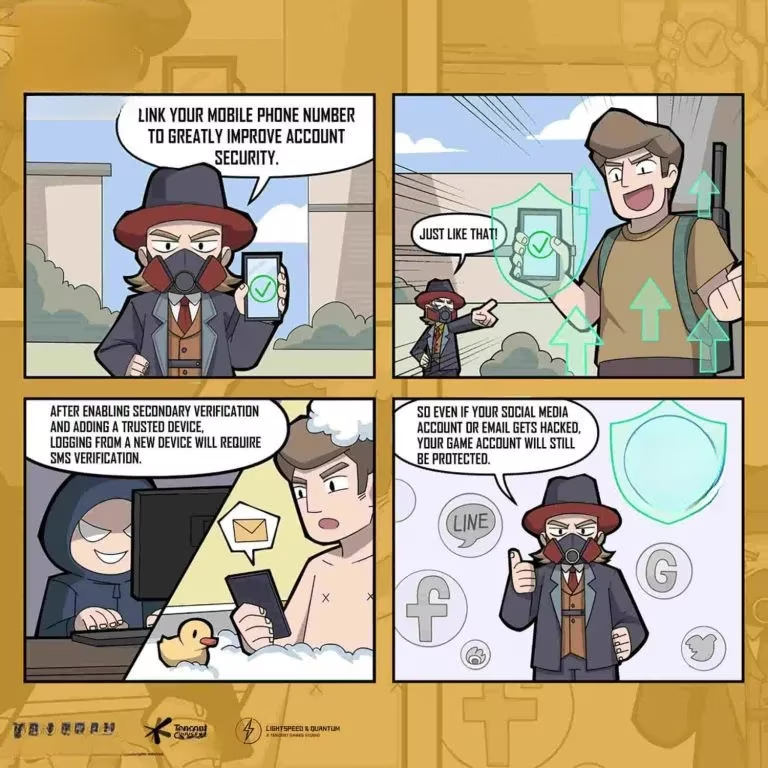
Link Like Your Life Depends On It : A guest account is essentially a mirage—beautiful while it lasts, gone the moment you switch devices or clear the cache. Always bind the account to a stable email or a social media platform (Google Play, Facebook, Twitter/X, Apple Game Center). One cannot stress this enough: guest accounts are the hangry cacti of the desert—prickly and utterly unreachable when things go south.
-
Fortify With A Steel Vault Password & 2FA : No, “pubg123” does not count as a robust password. Slap on a cryptic combination of letters, numbers, and symbols. Then, for the love of all things chicken-related, enable Two-Factor Authentication (2FA). An extra verification step via mobile number or authenticator app makes intruders weep.
-
Dodge Suspicious Goodies Like A Pro : That “free 10,000 UC generator” website? A Trojan horse dressed in a unicorn onesie. Third-party apps and sketchy links are phishing nets designed to vacuum up credentials. If it smells fishier than a crate in Sanhok, trust the gut and steer clear.
-
Keep Things Fresh : Regularly update the game and the device’s security software. Outdated systems are like open doors with a please-rob-me sign.
-
Mum’s The Word : Never, ever share login details—not with a squadmate you’ve known for three years, not with a “Krafton admin” sliding into DMs. Official support won’t ask for passwords.
The Guest Account Swan Song: Linking Up Before It’s Too Late
If one has been living life on the edge with a guest account, there’s still time to escape fate—provided the original device is still in hand. The operation is smoother than a fully-kitted Vector in a hot drop.
-
Fire up PUBG Mobile on the device that houses the guest data.
-
In the lobby, tap that discreet little “▲” arrow at the bottom right to open Settings.
-
Navigate to the Basic tab.
-
Spot the Link Account section and pick a social media icon. Google Play, Facebook, or Twitter/X for Android; Game Center, Facebook, or Twitter/X for iOS.
-
Follow the prompts, and voilà—the account is pulled from the brink.
One crucial caveat from the Krafton gods: a social media account, once linked, cannot be reused to tether a different PUBG Mobile profile. So choose wisely. And yes, linking up to two accounts is allowed, sprinkling a little extra safety net over the whole affair.
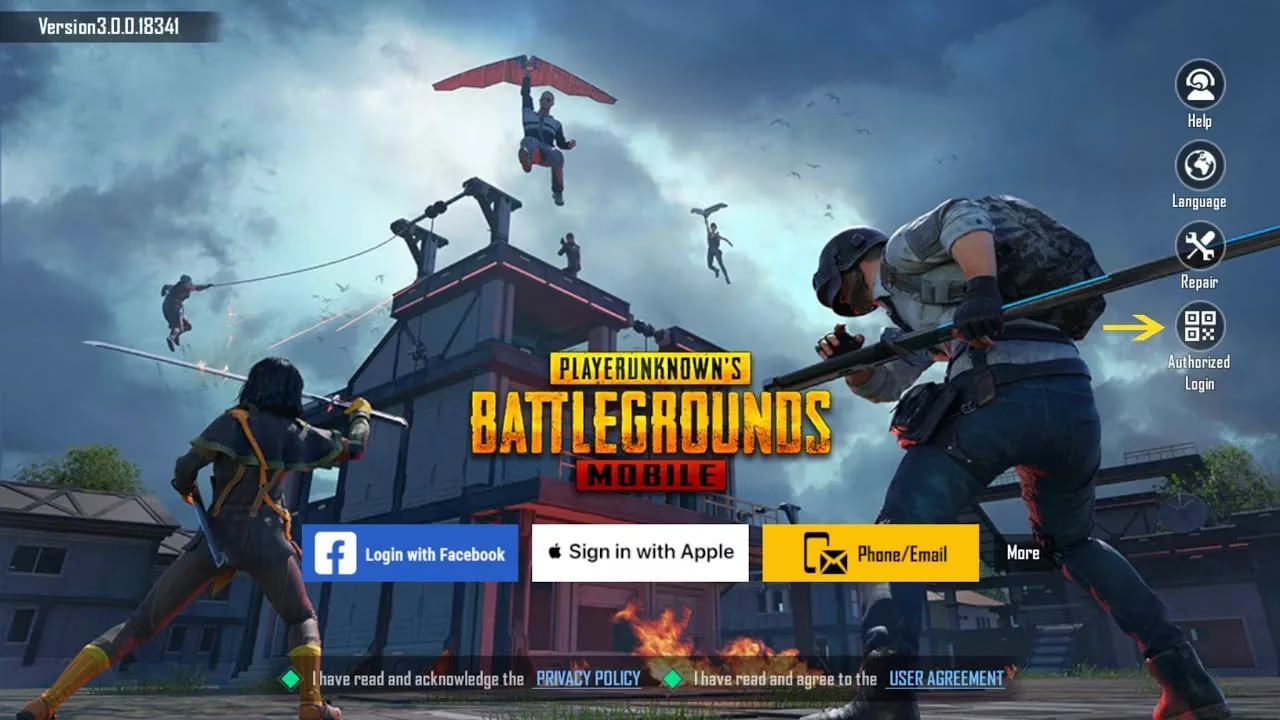
When The Sky Falls: Recovering A Hacked Or Lost Account
So the worst has happened. Login attempts bounce back with cold error messages, strange purchases appear (someone bought a hundred clown masks?), or the character’s name suddenly reads “ILovePineapple88”—all telltale signs of a compromise. Panic is understandable, but action is a better companion. The Customer Service portal is the digital lifeline, and navigating it is less scary than facing a squad of rooftop campers.
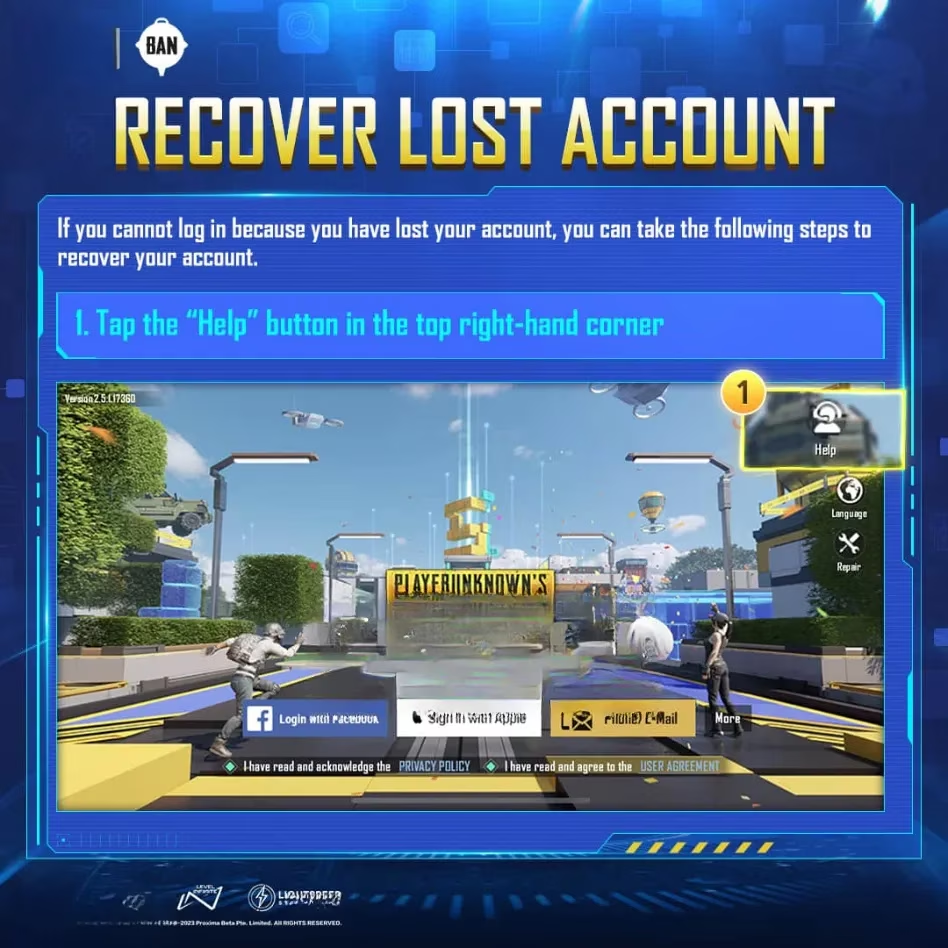
- Open PUBG Mobile. On the home screen, tap the Help icon chilling in the upper left corner. This whisks a player straight to the Customer Service Center.
-
Hunt down the Account Security section or any category that breathes login woes. For a hacked account specifically, the option Third-Party Platform Login Issue is the golden ticket.
-
Scroll, and there lies the holy grail: Account Recovery. Tap it, absorb the terms and conditions (yes, actually read them—at least skim), agree, and hit Next.
-
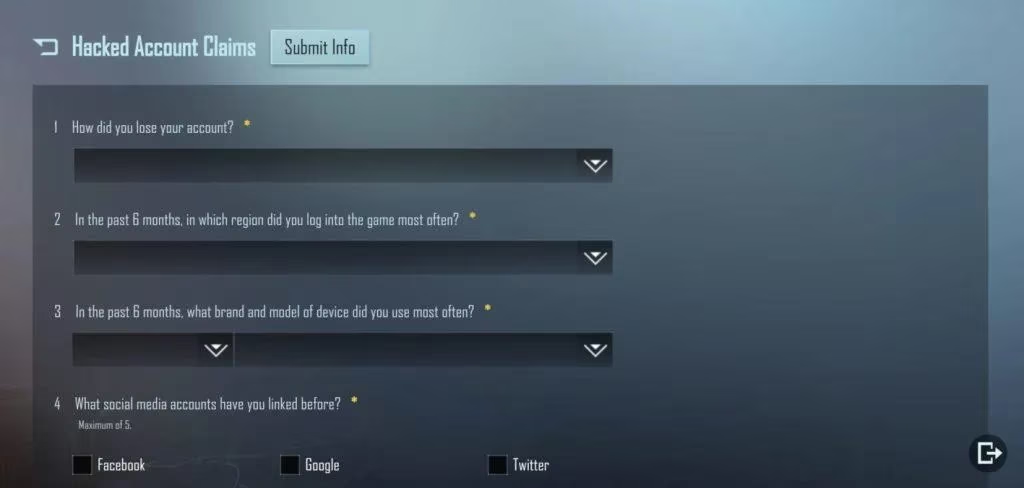
Now comes the paperwork. The form demands the Player UID (that long numeric ID found in old screenshots or squad invites), device model, linked email, character name, and any other juicy detail that proves ownership. The more precise the intel, the faster the support team can crack the case. Think of it as sending a care package—make it count.
-
Solve a couple of security puzzles or CAPTCHAs to show one is not a malfunctioning sentry bot.
- Submit and embrace the waiting game. In 2026, the PUBG Mobile support team aims to respond within 14 days via email, often sooner if the details are airtight. Follow the instructions in that email with religious precision—reset the password, verify the identity, and reclaim the digital throne.
The Light At The End Of The Tunnel
Losing access to a PUBG Mobile account is undeniably a gut punch, akin to missing a point-blank shotgun blast. But irreversible? Absolutely not. By leaning on the in-game recovery tools, plying the support team with accurate details, and (going forward) treating security measures like a prized AWM, a player can rise from the ashes. Link firmly, enable 2FA, treat shady links like the plague, and keep that recovery path well-oiled. After all, the battleground waits for no one—and those chicken dinners aren’t going to earn themselves. Happy drops, may the circle always favor the prepared, and remember: a little paranoia keeps the hackers away.